Fitness & Mobility guide · Updated 2026
Form Feedback Cameras and AI Coaching: Markerless Motion Capture, Accuracy Limits & What Is Worth Buying
A detailed 2026 guide to form feedback cameras and AI coaching — depth-sensor gyms, RGB TV cameras, Smart View wall units, programming-only AI, and phone pose apps — with accuracy limits and ownership math.
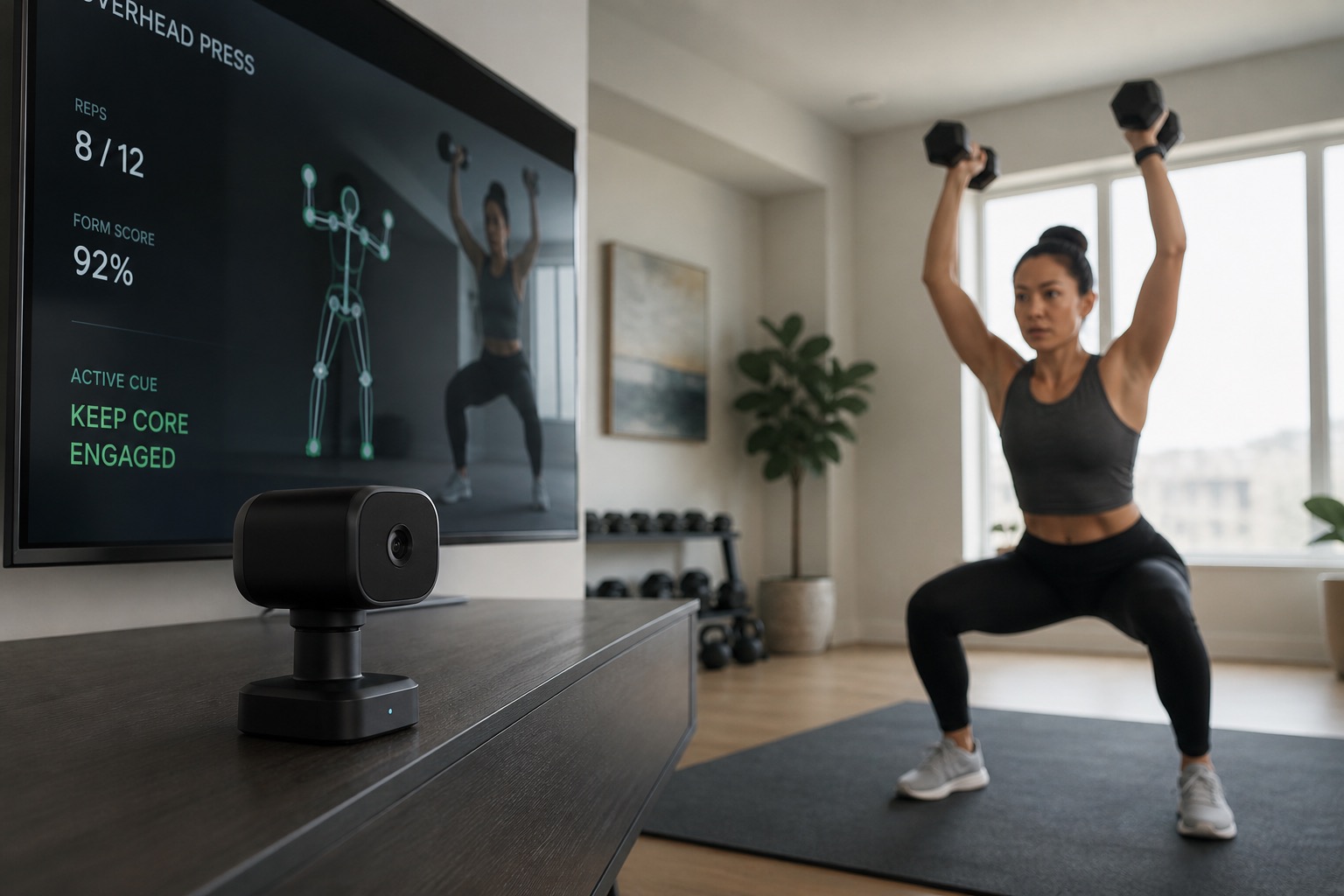
Form feedback cameras and AI coaching promise a trainer’s eye in your living room: depth sensors, RGB TV cameras, Smart View wall units, phone pose apps, and programming AIs that never watch you at all. In 2026 the useful question is not “does AI see my squat?” — it is whether concurrent cues, rep counting, or better programming improve adherence and decisions enough to justify hardware plus memberships.
Depth sensing (time-of-flight) estimates 3D position. RGB cameras power most TV and phone coaches. Programming-only AI skips vision entirely. Markerless pose research shows consumer-class tracking can be useful for some joint angles — with known biases — while commercial vision reviews keep reminding buyers that lighting, occlusion, and out-of-plane motion still break the magic.
Key takeaways
- Best depth-sensor all-in-one: Tempo Studio — 3D ToF form cues with included weights.
- Best compact free-weight coach: Tempo Move — form AI on iron you already own.
- Best mass-market TV camera: Peloton Guide — low hardware cost, strong class adherence.
- Best bundled Smart View gym: Tonal 2 — buy for digital resistance first, camera second.
- Best programming-only AI: JuggernautAI — periodization without a living-room camera.
- Best phone-camera entry: Kaia Health — cheap pose coaching before you buy hardware.
- Biggest buying mistake: treating consumer vision as lab motion capture — or paying for a camera when programming was the real bottleneck.
How we evaluate form feedback and AI coaching
Editorial scores favor tools that improve real training decisions for everyday athletes — not demo-day skeleton overlays. We score each option across five pillars:
- Sensing usefulness (25%) — depth vs RGB vs no camera; what the system can actually cue.
- Coaching quality (20%) — form cues, rep credit, programming, class usefulness.
- Adherence friction (20%) — setup time, privacy, whether you will train weekly.
- Ownership cost (20%) — hardware + required memberships over 1–3 years.
- Buyability and footprint (15%) — install constraints, Amazon path, phone-only options.
Important limitation: Keersa Health scores are editorial synthesis based on publicly documented features and published markerless-motion themes. They are not lab certifications. Memberships, SKUs, and sensing stacks change — verify before buying.
What markerless form feedback actually means
Sports science already has gold-standard optical motion capture. Consumer products borrow lighter stacks: OpenPose/MediaPipe-class 2D pose, RGB TV cameras, and depth sensors. Validation work shows 2D pose can track some squat kinematics reasonably versus VICON, and drop-jump knee-valgus estimates can be usable in research settings — still not “perfect form scores” for every plane and every lift.
Motor-learning research also matters: concurrent visual feedback can accelerate skill acquisition, but too much feedback can become a crutch. Use cues to learn patterns, then practice without staring at a skeleton overlay every set.
Features that matter most
- Depth vs RGB — 3D sensing vs single-camera class UX.
- Rep counting reliability — credit that matches what you did.
- Form cue quality — actionable corrections, not decorative overlays.
- Membership reality — required, optional, or programming-only.
- Privacy controls — shutters, idle states, household consent.
Interactive comparison
Filter by form factor, sort by score or price, and pin up to three options for a focused side-by-side view.
Tradeoff:
Sticker price is misleading in this category. Membership-heavy products can cost more over three years than premium hardware with no required plan.
Estimates are directional and based on common public pricing patterns. Promotions, refurbished units, family plans, and tier changes can move these numbers materially.
3-year cost of ownership
Device
Year 1
3-year estimate
Amazon Price
Membership
Tempo Studio
$2,963
$3,899
—
Membership required (~$39/mo, typically 12-month commitment)
Peloton Guide
$583
$1,159
$299.99
Guide or All-Access membership required for full use
JuggernautAI
$420
$1,260
—
Subscription required (~$35/mo or annual discount)
Tonal 2 (Smart View)
$4,883
$6,059
—
Membership required for full use (often ~$49/mo)
Tempo Move
$963
$1,899
$67.99
Membership typically required for coaching features
Kaia Health
$180
$540
—
App or program subscription required
Form factor decides the job. Depth gyms estimate 3D motion. RGB cameras power TV and phone coaches. Programming AI skips vision and writes the plan.Depth cameras vs RGB coaches vs programming-only AI
Choose a depth-sensor gym if...
Choose an RGB TV or phone coach if...
Choose programming-only AI if...
Wait on the category if...
Below are deeper notes on every option in the comparison table, sorted by editorial score. Jump directly from the table pins or the cost section.
Tempo · Machine
Best for: All-in-one strength cabinet with 3D time-of-flight form cues and included weights
Tempo Studio is the depth-sensor pick in this category: a freestanding strength station that uses 3D time-of-flight sensing to cue form while you train with included iron. Buy it when you want an all-in-one camera gym — not when you only need programming. Depth sensing helps with 3D joint estimates versus single RGB cameras, but lighting, occlusion, and out-of-plane motion still create errors. Treat on-screen cues as a coach’s eye for common squat/hinge/press patterns — not as a VICON replacement. Choose Studio if you want weights + screen + depth AI together. Skip it if you already own a rack and only need a smaller sensor.
Estimated ownership: about $2,963 in year 1 and
$3,899 over 3 years.
Hardware (~$2,495) plus ~$39/mo membership. Weight expansion packs are extra.
Peloton · Camera
Best for: Turning an existing TV into a Peloton strength studio with Movement Tracker and Self Mode
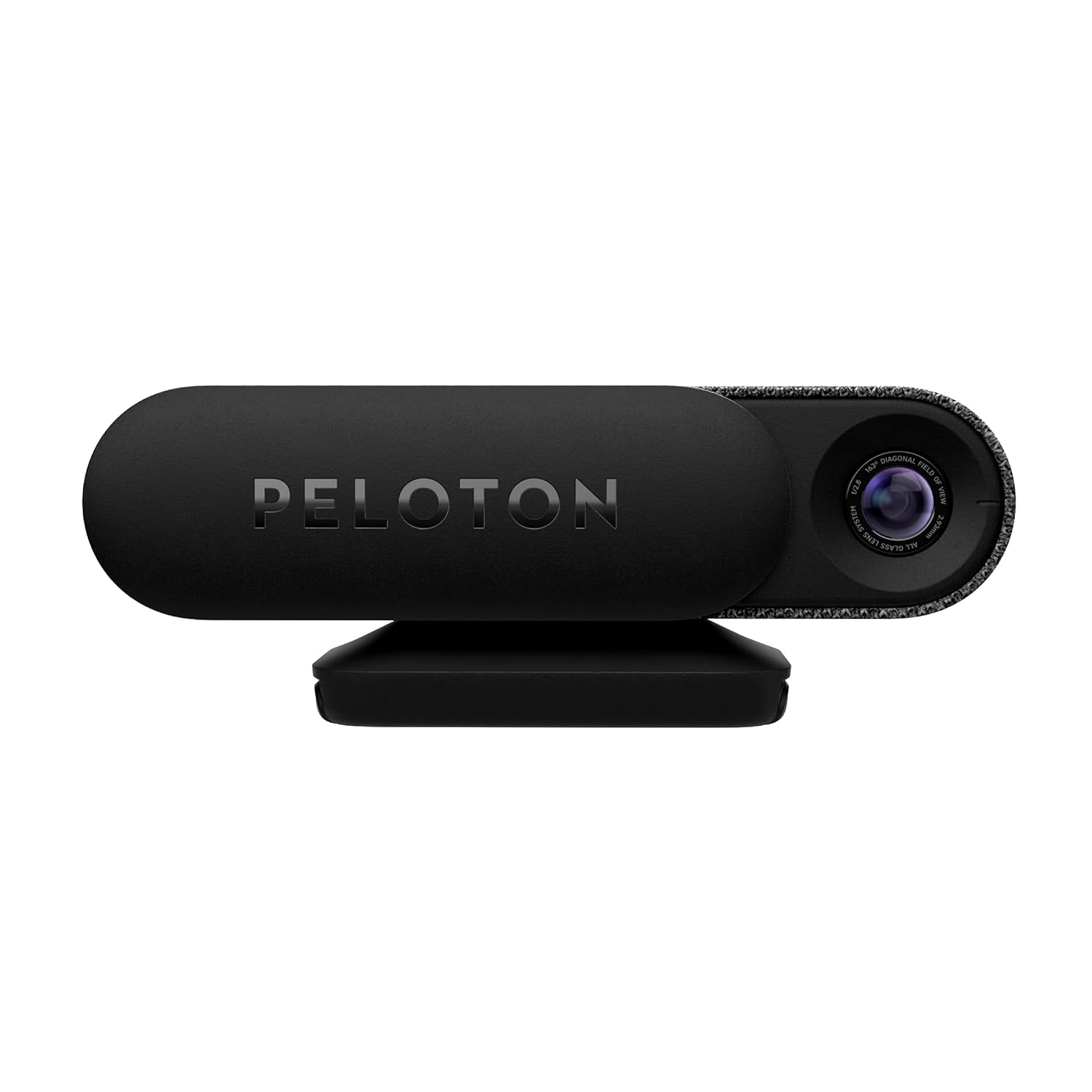
Peloton Guide is the best mass-market RGB form camera for people already in (or willing to join) the Peloton ecosystem. Buy it for class adherence and on-screen Self Mode — not because a 12MP camera equals markerless lab capture. Movement Tracker and Self Mode help you see yourself next to instructors and get credit for reps — useful adherence features. Use the privacy slider when the camera is idle. Home cameras need deliberate consent hygiene. Choose Guide if Peloton classes keep you consistent. Skip it if you want depth sensing (Tempo Studio) or programming without a camera (JuggernautAI).
Estimated ownership: about $583 in year 1 and
$1,159 over 3 years.
Hardware (~$295) plus Guide membership (~$24/mo) if you are not already All-Access. Pricing changes — verify.
Juggernaut · App
Best for: Autoregulated powerlifting and powerbuilding programming without a form-tracking camera
JuggernautAI is the honest control group: AI coaching that programs loads and volume without pretending a phone camera is a biomechanics lab. Buy it when technique is already solid and programming quality is the bottleneck. If you need someone (or something) to watch knee valgus in real time, this is the wrong product class. Pair with optional human video review or a camera device if form is the actual limiter. Choose JuggernautAI for programming. Skip it if your primary need is concurrent form cues.
Estimated ownership: about $420 in year 1 and
$1,260 over 3 years.
Subscription only (~$35/mo). Annual plans can lower effective cost — verify current pricing.
Tonal · Wall-unit
Best for: Premium digital resistance where Smart View form coaching is bundled with electromagnetic load
Tonal 2 appears here for Smart View: camera-assisted form coaching attached to a premium digital cable gym. Buy it when you want electromagnetic resistance and coaching together — not when you only need a TV camera or a phone app. If your bottleneck is programming and form cues on free weights, Move or Guide is cheaper than a wall install. Smart View is still consumer vision AI — useful for cues, not a substitute for a coach filming with a calibrated setup. Choose Tonal when digital weight is the primary purchase. Skip it for this article’s job if you only want form feedback.
Estimated ownership: about $4,883 in year 1 and
$6,059 over 3 years.
Hardware plus ~$49/mo membership. Score here reflects the Smart View coaching angle, not pure resistance value alone.
Tempo · Sensor
Best for: AI form coaching on real free weights without buying a motorized wall unit
Tempo Move is smart resistance software without pretending motors replace iron. If you already own adjustable dumbbells or a bar, it can be the cheapest path to guided progressive training — with the usual camera-coaching caveats. Form feedback cameras/sensors help adherence and cues; they are not lab motion-capture. Price the membership honestly. A cheap sensor with a forever subscription can outspend a one-time rack. Choose Tempo Move if you want coaching on free weights. Skip it if you specifically want digital cables and eccentric motor modes.
Estimated ownership: about $963 in year 1 and
$1,899 over 3 years.
Assumes ~$495 sensor plus ~$39/mo membership. Free weights and a bench are extra if you do not already own them.
Kaia · App
Best for: Phone-based pose coaching for guided MSK and exercise sessions without dedicated hardware
Kaia Health represents the phone-camera coaching tier: markerless pose guidance without buying a Tempo or Peloton device. Buy an app like this when you want cheap concurrent cues — and keep expectations honest about 2D pose accuracy. OpenPose-class research shows phone/2D pose can track some squat angles reasonably versus lab systems — with joint-specific bias. Phone coaching shines for accessibility; it fails when lighting is bad, the frame cuts joints, or you need frontal-plane precision under speed. Choose phone apps for low-cost experiments. Escalate to depth hardware only if cues clearly improve adherence.
Estimated ownership: about $180 in year 1 and
$540 over 3 years.
Illustrative subscription math (~$15/mo). Real plans and employer/insurer access vary widely — verify.
Detailed reviews
Tempo Studio
Pros
Cons
Choose this if
Skip this if
Peloton Guide
Pros
Cons
Choose this if
Skip this if
JuggernautAI
Pros
Cons
Choose this if
Skip this if
Tonal 2 (Smart View)
Pros
Cons
Choose this if
Skip this if
Tempo Move
Pros
Cons
Choose this if
Skip this if
Kaia Health
Pros
Cons
Choose this if
Skip this if
How to choose the right setup
- Name the bottleneck. Form cues, class adherence, digital weight, or programming?
- Decide depth vs RGB vs no camera. Depth costs more; programming-only skips privacy entirely.
- Price three years. Cheap cameras with expensive memberships still add up.
- Check room geometry. Camera height, lighting, and clear floor space beat fancy SKUs.
- Demand a stop rule. If cues do not change how you squat in 30 days, cancel before year two.
- Do not medicalize the overlay. Pain, injury, or red-flag symptoms need clinicians — not a TV camera.
Quick recommendations by persona
- Want depth + included weights: Tempo Studio
- Own free weights, want cues: Tempo Move
- Want TV classes + Self Mode: Peloton Guide
- Want digital cables + Smart View: Tonal 2
- Technique solid, need programming: JuggernautAI
- Testing the category cheaply: Kaia Health
No. Markerless systems like OpenPose can be reliable for some squat joint angles versus VICON, but joint-specific biases, lighting, occlusion, and fast out-of-plane motion still limit accuracy. Treat consumer cues as coaching aids — not clinical biomechanics. Depth (time-of-flight / 3D) usually helps with spatial estimates versus single RGB cameras, especially for range and body position. It still fails with occlusion and weird camera angles. RGB systems can be excellent for adherence and class UX even when biomechanics precision is lower. Often no. Programming-quality AI like JuggernautAI can be the better buy when periodization and autoregulation are the bottleneck. Cameras help most when you need concurrent cues, rep credit, or instructor-led adherence. Only if you will use Guide classes weekly. Hardware is relatively cheap; membership is the real cost. Existing All-Access members usually get the better math. For cheap experiments and guided MSK-style sessions, yes as a starting point. For heavy compound coaching with a dedicated sensing stack and integrated content, dedicated hardware still wins — if you will actually use it. Prefer devices with physical shutters, clear idle states, and household consent. Do not leave workout cameras uncovered in shared spaces when unused.Form feedback cameras and AI coaching FAQ
Are consumer form cameras as accurate as lab motion capture in 2026?
+
Is a depth sensor better than an RGB camera?
+
Do I need a camera if my technique is already solid?
+
Is Peloton Guide worth it without All-Access?
+
Can a phone app replace Tempo or Tonal?
+
What about privacy with always-on home cameras?
+
This comparison is designed for practical decision-making. Product capabilities, pricing, and memberships change quickly, so treat battery claims, plan costs, and feature availability as moving targets.
Shows OpenPose-style 2D pose tracking can be reliable for squat joint angles versus VICON, with joint-specific biases — useful realism check for consumer form cameras. Extends markerless pose estimation validity to faster tasks like drop jumps for frontal-plane knee motion — still not lab-grade for every plane. Reviews RGB/depth sensors and OpenPose/MediaPipe-class frameworks, emphasizing lighting, occlusion, and out-of-plane limits. Supports the coaching/adherence case: connected prescriptions can help people complete resistance training even when biomechanics are imperfect. Classic motor-learning framing for why concurrent form feedback helps — and when too much feedback can become a crutch.
Tempo 3D Vision / form feedback documentation
Depth-sensor form cues and class coverage change by firmware; treat as coaching guidance, not clinical biomechanics.
Peloton Guide product documentation
Movement Tracker, Self Mode, and membership requirements change; camera privacy controls matter for home use.
Affiliate disclosure: some product links on Keersa Health may earn a commission at no extra cost to you.
Editorial recommendations are independent of commercial relationships.
Read our full disclosure.
Sources and editorial notes
Bottom line
Form feedback cameras are worth it when concurrent cues or class UX make hard sessions more consistent and safer to progress. They are not worth it as a substitute for progressive overload, a real strength program, or clinical care. Start from the job (cues vs programming vs digital weight), keep accuracy expectations honest, and buy the cheapest sensing stack that fixes the friction you actually have.
Related: Smart Resistance Equipment, GPS and Power Meters for Endurance, Wearable HRV and Training Readiness, Force Plates for Everyday Athletes, and Mobility Tools That Earn a Place.